Your first app
Implementing Todos
Adding a Todos model
We'll define the Prisma schema for Todos in lib/prisma/models/todos.prisma
model Todos {
  id        String    @id @default(uuid())
  text      String
  createdAt DateTime  @default(now())
  updatedAt DateTime  @updatedAt
}
Migrate the database
Generate and run the migration to create the table with
npm run db:migrate -- --name add-todosAdd Todo list components
Now that your database is ready, let's bring the Todos feature to life in the UI. We'll build a small, self-contained set of React components that display existing todos and let users add new ones.
"use server";

import prisma from "@/lib/prisma/prisma";
import { revalidatePath } from "next/cache";

export type AddTodoState = {
	input: string;
	error?: string;
};

export async function addTodo(
	_: unknown,
	formData: FormData,
): Promise<AddTodoState> {
	const text = formData.get("todo") as string | undefined;

	if (text?.trim()) {
		await prisma.todos.create({
			data: { text, id: formData.get("optimisticId")?.toString() ?? undefined },
		});
		revalidatePath("/");
		return { input: "", error: undefined };
	}

	return {
		error: "Todo cannot be empty",
		input: text ?? "",
	};
}

export type DeleteTodoState = {
	error?: string;
	success?: boolean;
};

export async function deleteTodo(formData: FormData): Promise<DeleteTodoState> {
	const todoId = formData.get("todoId") as string | undefined;

	if (todoId) {
		try {
			await prisma.todos.delete({ where: { id: todoId } });
			revalidatePath("/");
			return { success: true };
		} catch {
			return { success: false, error: "Could not delete todo" };
		}
	}
	return { success: false, error: "Could not delete todo" };
}"use client";
import { Button } from "@/components/ui/button";
import { Input } from "@/components/ui/input";
import { Field, FieldError } from "@/components/ui/field";
import { useAddTodoActionState } from "./hooks";
export function AddTodo() {
const [state, action, isPending] = useAddTodoActionState();
return (
<>
<form action={action} className="flex flex-col py-6 gap-2">
<div className="flex flex-row grow gap-4">
<Field data-invalid={state.error !== undefined}>
<Input
name="todo"
defaultValue={state.input}
placeholder="Add a new todo"
autoComplete="off"
/>
</Field>
<Button
variant="outline"
disabled={isPending}
className="hover:cursor-pointer"
>
Add
</Button>
</div>
<Field data-invalid={state.error !== undefined}>
<FieldError>{state.error}</FieldError>
</Field>
</form>
</>
);
}"use client";
import { Button } from "../ui/button";
import { Trash2 } from "lucide-react";
import type { Todos } from "@/lib/prisma/generated/client";
import { useDeleteTodoAction } from "./hooks";
export function DeleteButton({ todo }: { todo: Todos }) {
const action = useDeleteTodoAction(todo);
return (
<form action={action}>
<input type="hidden" name="todoId" value={todo.id} />
<Button
variant="outline"
size="icon"
className="hover:cursor-pointer"
disabled={todo.id === "unsaved"}
>
<Trash2 className="text-red-300" />
</Button>
</form>
);
}import { TodosContext } from "./provider";
import { toast } from "sonner";
import { addTodo, deleteTodo, type AddTodoState } from "@/actions/todos";
import { use, useActionState } from "react";
import { v4 } from "uuid";
import type { Todos } from "@/lib/prisma/generated/client";
export function useTodos() {
const context = use(TodosContext);
if (!context) {
throw new Error("useLogViewer must be used within a <TodosProvider />");
}
return {
todos: context.todos,
addOptimistic: context.addOptimistic,
};
}
export function useAddTodoActionState() {
const { addOptimistic } = useTodos();
const add = async (_: unknown, formData: FormData): Promise<AddTodoState> => {
const todo = formData.get("todo")?.toString();
const optimisticId = v4();
if (todo) {
const now = new Date();
addOptimistic({
kind: "add",
todo: {
id: optimisticId,
text: todo,
createdAt: now,
updatedAt: now,
},
});
}
formData.set("optimisticId", optimisticId);
return addTodo(_, formData);
};
return useActionState(add, {
input: "",
});
}
export function useDeleteTodoAction(todo: Todos) {
const { addOptimistic } = useTodos();
return async (form: FormData) => {
addOptimistic({ kind: "remove", todoId: todo.id });
const response = await deleteTodo(form);
if (response.error) toast.error(response.error);
};
}"use client";
import type { Todos } from "@/lib/prisma/generated/client";
import { createContext, use, useOptimistic } from "react";
type OptimisticAction =
| { kind: "add"; todo: Todos }
| { kind: "remove"; todoId: Todos["id"] };
export const TodosContext = createContext<{
todos: Todos[];
addOptimistic: (action: OptimisticAction) => void;
} | null>(null);
export default function TodosProvider({
children,
todos: initial,
}: React.PropsWithChildren & { todos: Promise<Todos[]> }) {
const [todos, addOptimistic] = useOptimistic(
use(initial),
(currentState: Todos[], action: OptimisticAction) => {
switch (action.kind) {
case "add":
return currentState.concat(action.todo);
case "remove":
return currentState.filter((todo) => todo.id !== action.todoId);
}
},
);
return (
<TodosContext
value={{
todos,
addOptimistic,
}}
>
{children}
</TodosContext>
);
}"use client";
import { Item, ItemActions, ItemContent } from "@/components/ui/item";
import { DeleteButton } from "./delete";
import { useTodos } from "./hooks";
export function Todos() {
const { todos } = useTodos();
return (
<ul className="space-y-2">
{todos.map((todo) => (
<Item asChild key={todo.id}>
<li>
<ItemContent>
<span className="text-gray-200 text-sm line-clamp-1">
{todo.text}
</span>
</ItemContent>
<ItemActions>
<DeleteButton todo={todo} />
</ItemActions>
</li>
</Item>
))}
</ul>
);
}import { cache } from "react";
import prisma from "./prisma/prisma";
export const allTodos = cache(async () => await prisma.todos.findMany());Show todo list in home
Now that we've built the components, it's time to connect them to the main page.
import { AddTodo } from "@/components/todo-list/add";
import TodosProvider from "@/components/todo-list/provider";
import { Todos } from "@/components/todo-list/todos";
import { Tabs, TabsContent, TabsList, TabsTrigger } from "@/components/ui/tabs";
import { allTodos } from "@/lib/todos";

export default function Home() {
	return (
		<TodosProvider todos={allTodos()}>
			<main className="min-h-screen dark text-primary bg-slate-950 p-6">
				<div className="flex flex-col gap-10">
					<h1 className="text-2xl font-bold text-center">monolayer Starter</h1>
					<Tabs defaultValue="todos" className="items-center w-full">
						<TabsList className="w-2xs">
							<TabsTrigger value="todos">Todos</TabsTrigger>
							<TabsTrigger value="documents">Documents</TabsTrigger>
							<TabsTrigger value="reports">Reports</TabsTrigger>
						</TabsList>
						<TabsContent value="todos" className="w-full align-start">
							<div className="py-4 max-w-2xl mx-auto">Todos placeholder</div>
							<div className="py-4 max-w-2xl mx-auto">
								<AddTodo />
								<Todos />
							</div>
						</TabsContent>
						<TabsContent value="documents" className="w-full align-start">
							<div className="py-4 max-w-2xl mx-auto">
								Documents placeholder
							</div>
						</TabsContent>
						<TabsContent value="reports" className="w-full align-start">
							<div className="py-4 max-w-2xl mx-auto">Reports placeholder</div>
						</TabsContent>
					</Tabs>
				</div>
			</main>
		</TodosProvider>
	);
}
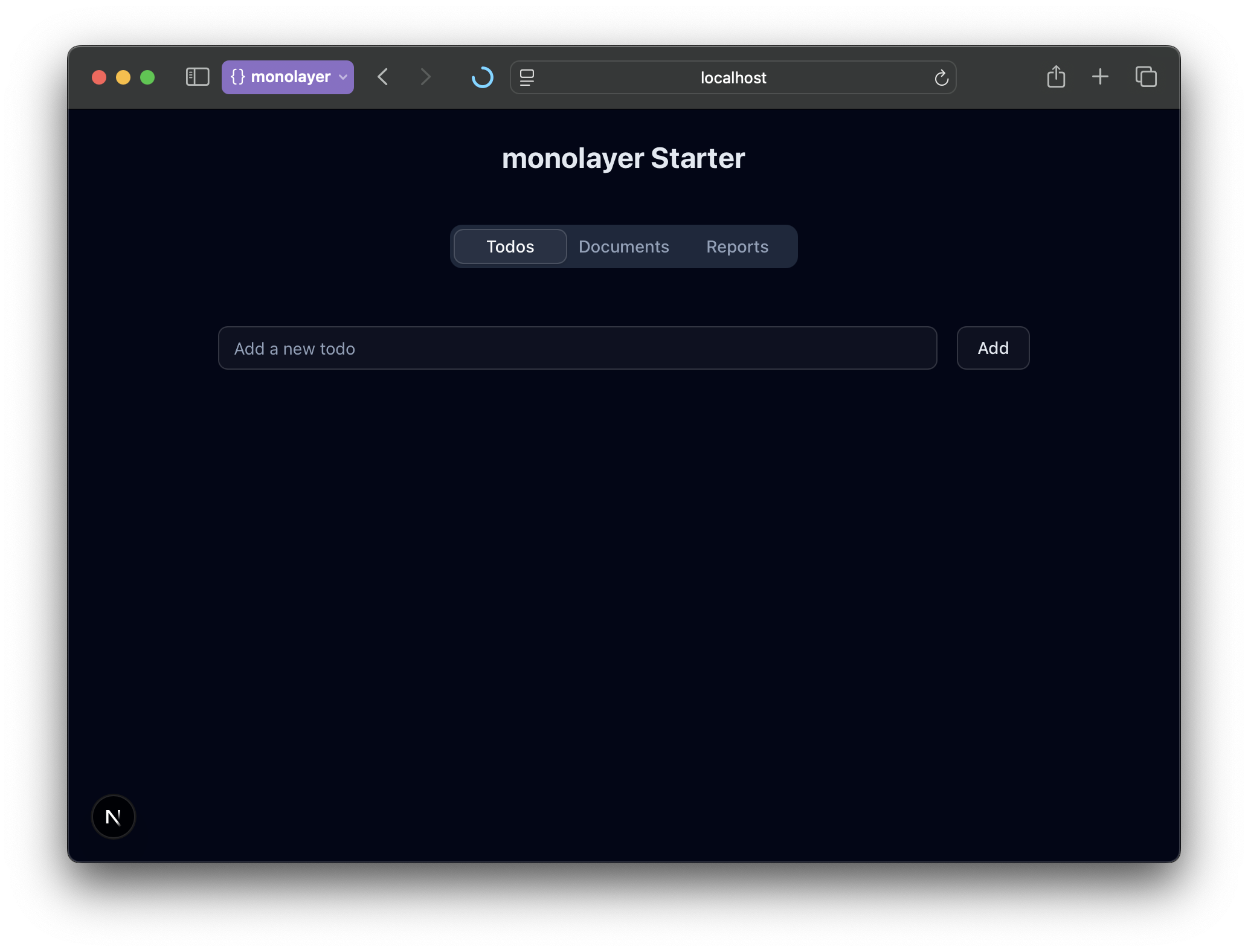
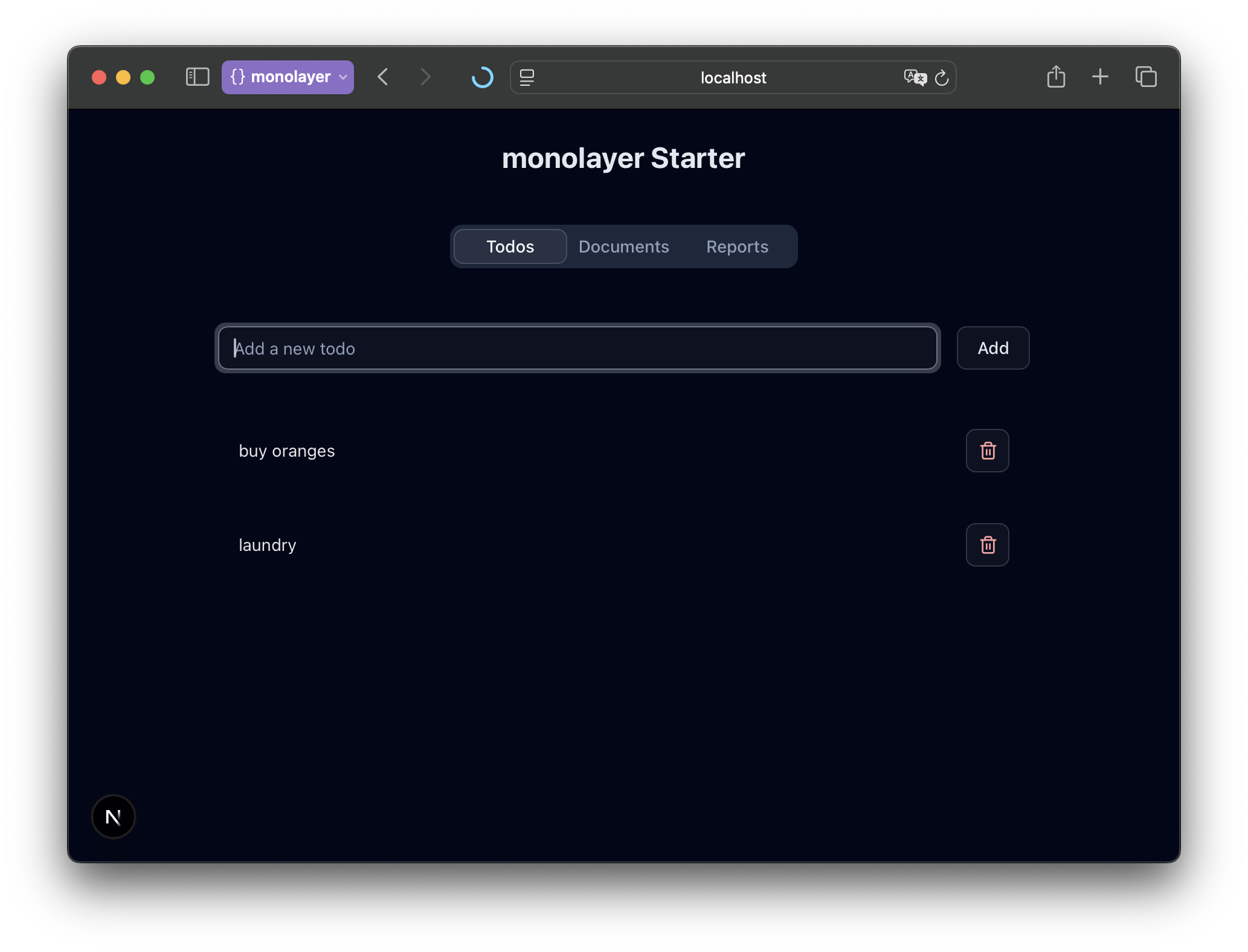
At this stage, the UI should display your list of todos (or an empty state if there are none yet) and the form to add new ones.