Building the Documents Feature
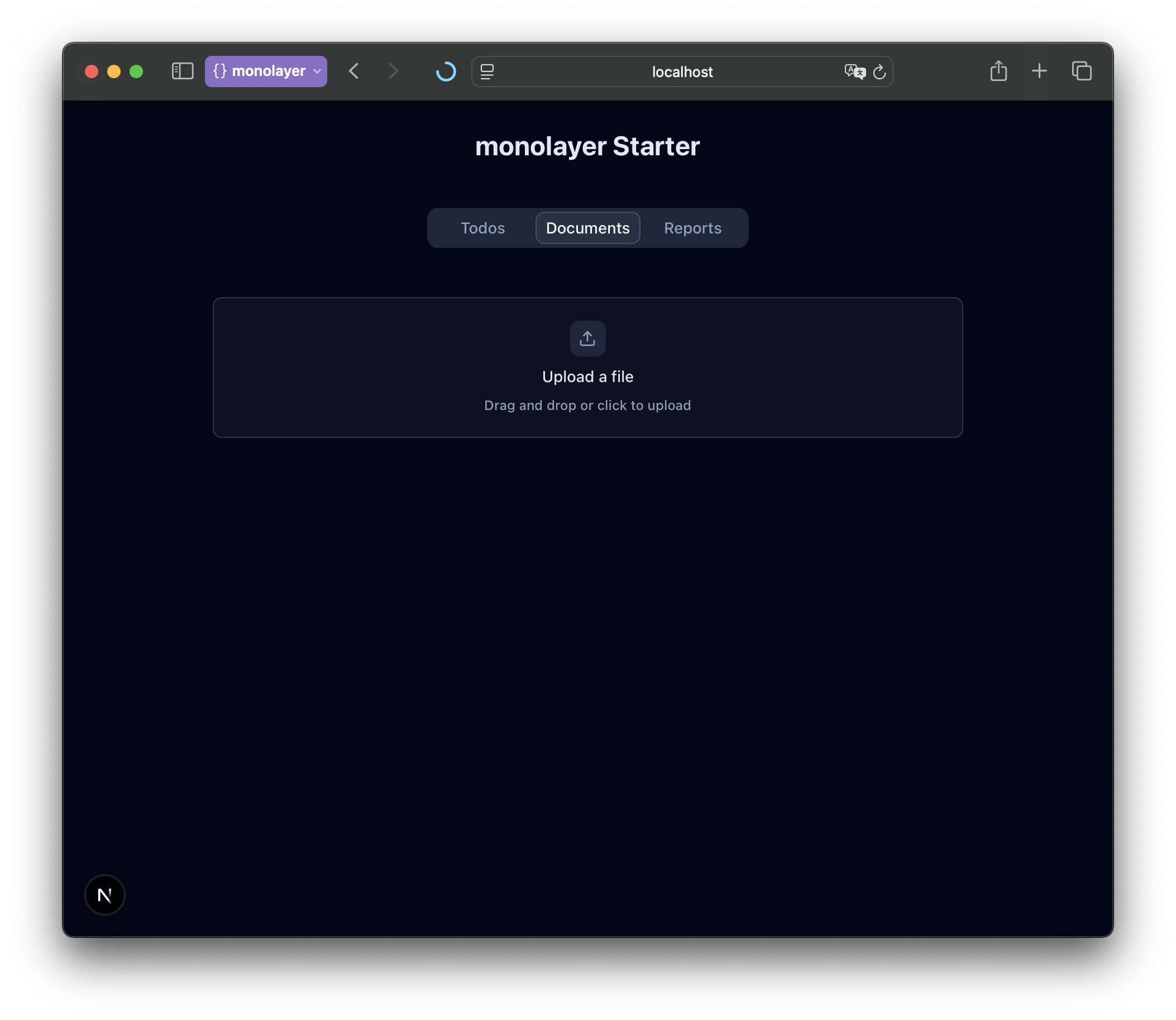
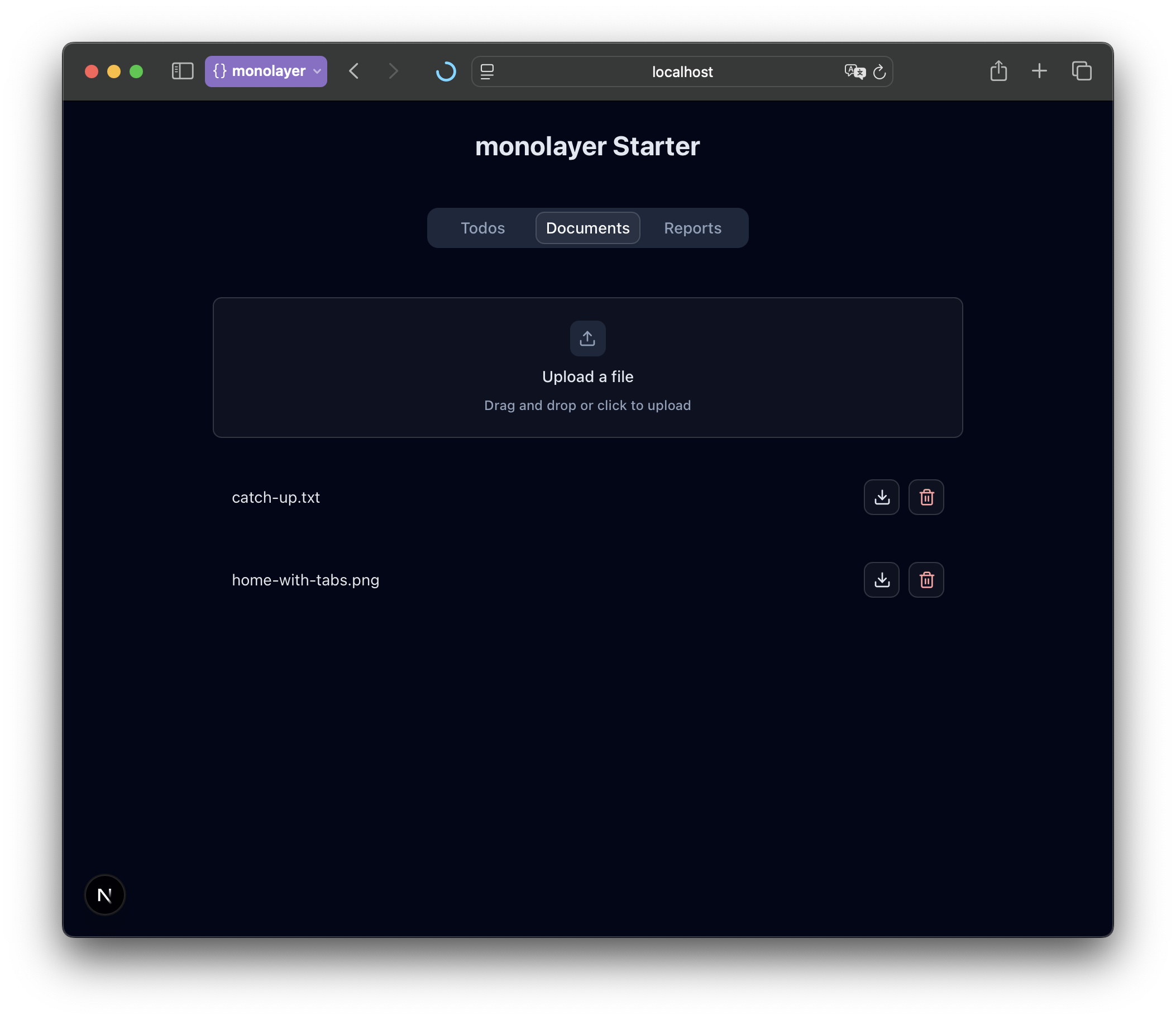
The next tab in our app is Documents — a lightweight document management view where users can upload, list, and delete files.
You'll build:
- A drop zone to upload files.
- A documents list showing each file.
- Download and delete actions for managing them.
Generate a bucket workload
The monolayer SDK lets you define storage bucket workloads right in your project. Run the following command to generate a new bucket workload, boilerplate helper code, and required dependencies.
npx monolayer add bucket --name documentsStart local environment for bucket
Run the following command to spin up a compatible S3 service in your local machine.
npx monolayer start devYou should see this:

Add Components and Server Actions
Next, you'll connect the bucket to the UI. We'll add a few server actions, and then build the React components that use them.
import documents from "@/workloads/documents";
import { paginateBucketItems } from "@/lib/bucket/paginate-bucket-items";
import { cache } from "react";

async function _allDocuments() {
	const items: { key: string }[] = [];
	for await (const item of paginateBucketItems(documents)) {
		if (item.Key)
			items.push({
				key: item.Key,
			});
	}
	return items;
}

export const allDocuments = cache(_allDocuments);"use server";
import { s3Client } from "@/lib/bucket/client";
import documents from "@/workloads/documents";
import { DeleteObjectCommand } from "@aws-sdk/client-s3";
import { revalidatePath } from "next/cache";
export async function deleteDocument(key: string) {
const command = new DeleteObjectCommand({
Bucket: documents.name,
Key: key,
});
await s3Client.send(command);
revalidatePath("/");
}"use server";
import { revalidatePath } from "next/cache";
export async function revalidate() {
revalidatePath("/");
}"use client";
import { Trash2 } from "lucide-react";
import { Button } from "../ui/button";
import type { BucketItem } from "./provider";
import { deleteDocument } from "@/actions/documents";
import { startTransition } from "react";
export function Delete({ item }: { item: BucketItem }) {
return (
<Button
size="icon-sm"
variant="outline"
aria-label="Delete document"
className="hover:cursor-pointer text-red-300 hover:text-red-400"
disabled={item.optimistic === true}
onClick={() => {
startTransition(async () => {
await deleteDocument(item.key);
});
}}
>
<Trash2 />
</Button>
);
}"use client";
import { useEffect, useRef, useState } from "react";
import { Button } from "../ui/button";
import { DownloadIcon } from "lucide-react";
import { presignedDownloadUrl } from "@/lib/bucket/presign";
import documents from "@/workloads/documents";
import type { BucketItem } from "./provider";
export function Download({ item }: { item: BucketItem }) {
const [href, setHref] = useState<string | undefined>(undefined);
const anchorRef = useRef<HTMLAnchorElement>(null);
useEffect(() => {
if (href && anchorRef.current) {
anchorRef.current.click();
}
}, [href, anchorRef]);
return (
<Button
size="icon-sm"
variant="outline"
aria-label="Download document"
className="hover:cursor-pointer"
disabled={item.optimistic}
asChild={!item.optimistic}
onClickCapture={async (event) => {
event.stopPropagation();
setHref(await presignedDownloadUrl(documents.name, item.key));
}}
>
<a href={href} ref={anchorRef} download={true}>
<DownloadIcon />
</a>
</Button>
);
}import { use } from "react";
import { DocumentsContext } from "./provider";
export function useDocuments() {
const context = use(DocumentsContext);
if (!context) {
throw new Error("useLogViewer must be used within a <DocumentsProvider />");
}
return {
documents: context.documents,
addOptimistic: context.addOptimistic,
};
}"use client";
import { Item, ItemActions, ItemContent } from "../ui/item";
import { Delete } from "./delete";
import { Download } from "./download";
import { useDocuments } from "./hooks";
export function Documents() {
const { documents } = useDocuments();
return (
<ul className="space-y-2">
{documents.map((document) => (
<Item asChild key={document.key}>
<li>
<ItemContent>
<span className="text-gray-200 text-sm line-clamp-1">
{document.key}
</span>
</ItemContent>
<ItemActions>
<Download item={document} />
<Delete item={document} />
</ItemActions>
</li>
</Item>
))}
</ul>
);
}"use client";
import { createContext, use, useOptimistic } from "react";
export type BucketItem = { key: string; optimistic?: boolean };
type OptimisticAction =
| { action: "add"; document: BucketItem }
| { action: "delete"; document: BucketItem };
export const DocumentsContext = createContext<{
documents: BucketItem[];
addOptimistic: (action: OptimisticAction) => void;
} | null>(null);
export default function DocumentsProvider({
children,
items: initial,
}: React.PropsWithChildren & { items: Promise<BucketItem[]> }) {
const [documents, addOptimistic] = useOptimistic(
use(initial),
(currentState: BucketItem[], action: OptimisticAction) => {
switch (action.action) {
case "add":
return currentState.concat({
...action.document,
optimistic: true,
});
case "delete":
return currentState.filter(
(todo) => todo.key !== action.document.key,
);
}
},
);
return (
<DocumentsContext
value={{
documents,
addOptimistic,
}}
>
{children}
</DocumentsContext>
);
}"use client";
import { Dropzone, DropzoneEmptyState } from "@/components/kibo-ui/dropzone";
import { useDocuments } from "./hooks";
import { startTransition } from "react";
import { uploadToBucket } from "@/lib/bucket/upload";
import documents from "@/workloads/documents";
import { revalidate } from "@/actions/revalidate";
export function Upload() {
const { addOptimistic } = useDocuments();
const upload = async (files: File[]) => {
startTransition(async () => {
try {
for (const file of files) {
addOptimistic({ action: "add", document: { key: file.name } });
await uploadToBucket({
bucketName: documents.name,
file,
key: file.name,
});
}
await revalidate();
} catch (e) {
console.error(e);
}
});
};
return (
<div className="py-5">
<Dropzone onDrop={upload} onError={console.error} className="py-5">
<DropzoneEmptyState />
</Dropzone>
</div>
);
}Show documents in home
Finally, connect the documents feature to the “Documents” tab in your app.
import { Documents } from "@/components/documents";
import DocumentsProvider from "@/components/documents/provider";
import { Upload } from "@/components/documents/upload";
import { AddTodo } from "@/components/todo-list/add";
import TodosProvider from "@/components/todo-list/provider";
import { Todos } from "@/components/todo-list/todos";
import { Tabs, TabsContent, TabsList, TabsTrigger } from "@/components/ui/tabs";
import { allDocuments } from "@/lib/documents";
import { allTodos } from "@/lib/todos";

export default function Home() {
	return (
		<TodosProvider todos={allTodos()}>
			<DocumentsProvider items={allDocuments()}>
				<main className="min-h-screen dark text-primary bg-slate-950 p-6">
					<div className="flex flex-col gap-10">
						<h1 className="text-2xl font-bold text-center">
							monolayer Starter
						</h1>
						<Tabs defaultValue="todos" className="items-center w-full">
							<TabsList className="w-2xs">
								<TabsTrigger value="todos">Todos</TabsTrigger>
								<TabsTrigger value="documents">Documents</TabsTrigger>
								<TabsTrigger value="reports">Reports</TabsTrigger>
							</TabsList>
							<TabsContent value="todos" className="w-full align-start">
								<div className="py-4 max-w-2xl mx-auto">
									<AddTodo />
									<Todos />
								</div>
							</TabsContent>
							<TabsContent value="documents" className="w-full align-start">
								<div className="py-4 max-w-2xl mx-auto">
									<Upload />
									<Documents />
								</div>
							</TabsContent>
							<TabsContent value="reports" className="w-full align-start">
								<div className="py-4 max-w-2xl mx-auto">
									Reports placeholder
								</div>
							</TabsContent>
						</Tabs>
					</div>
				</main>
			</DocumentsProvider>
		</TodosProvider>
	);
}
Now switch to the “Documents” tab in your running app — you should be able to upload, download, and delete documents locally.